September 14, 2026
Get a clearer view of cash flow with Cash MOT
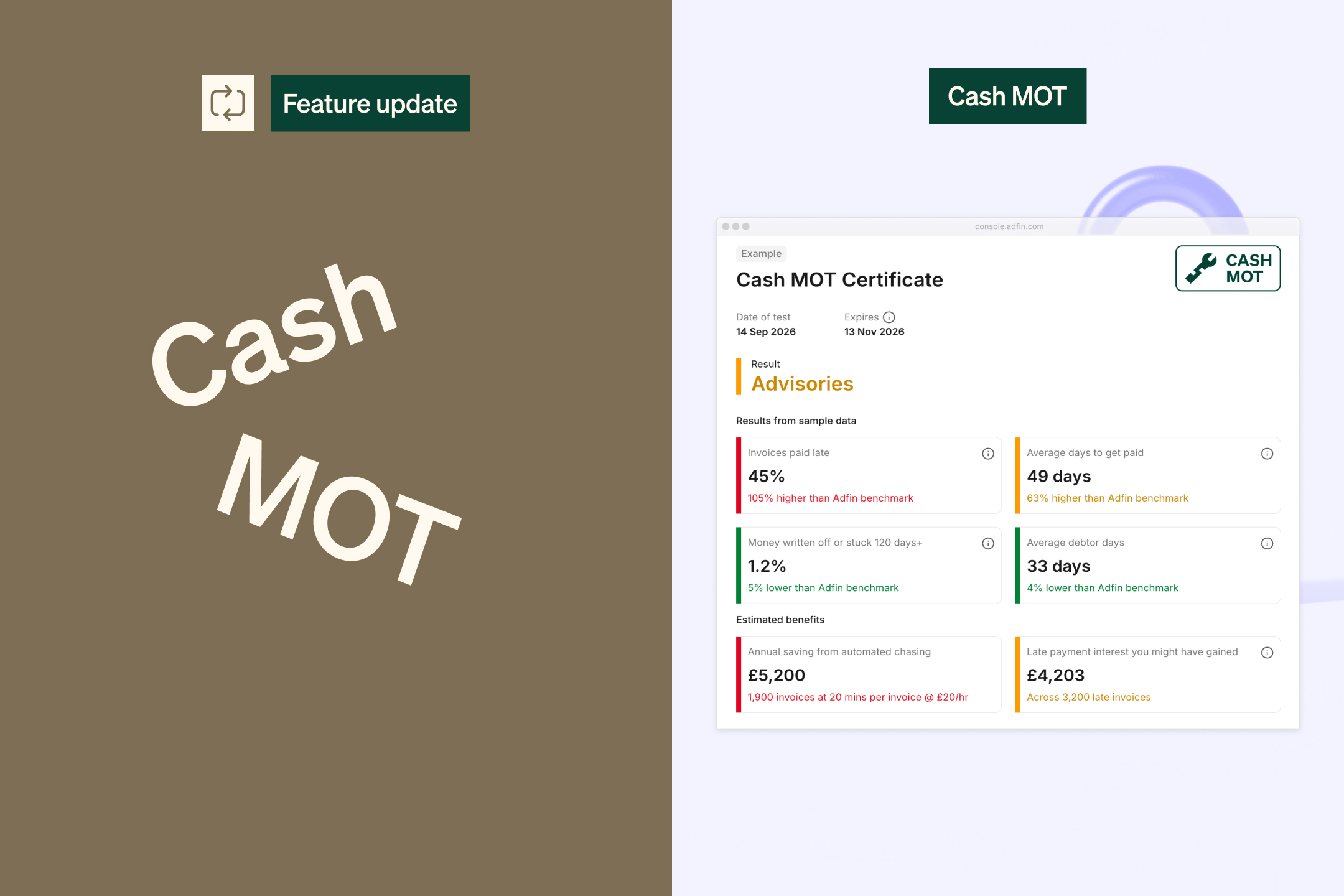
Generate a Cash MOT to see how a business is performing. We’ll show you key insights like average debtor days, the percentage of invoices paid late, and what you could gain from automated chasing.
Run a Cash MOT from our website or directly in the console, then easily share it with your clients to start a conversation about how they could improve their cash flow.
September 14, 2026
Upgraded personalised emails and previews
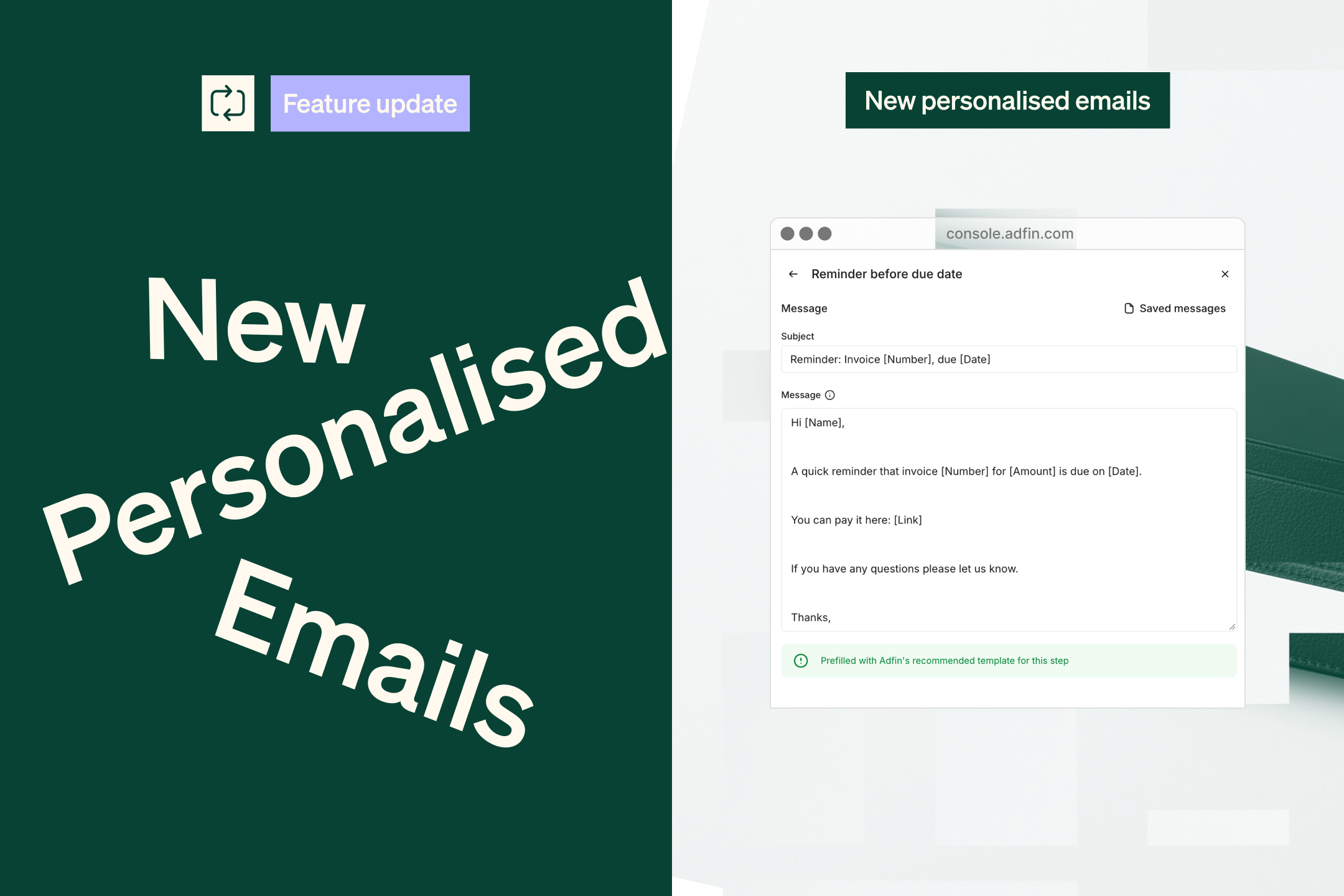
We’ve improved how personalised messages work in Adfin.
You can now customise the message at each step, save messages to reuse across other steps or customer agents, and generate a detailed preview of exactly what will be sent throughout a sequence.
September 12, 2026
Use Adfin for standalone credit control
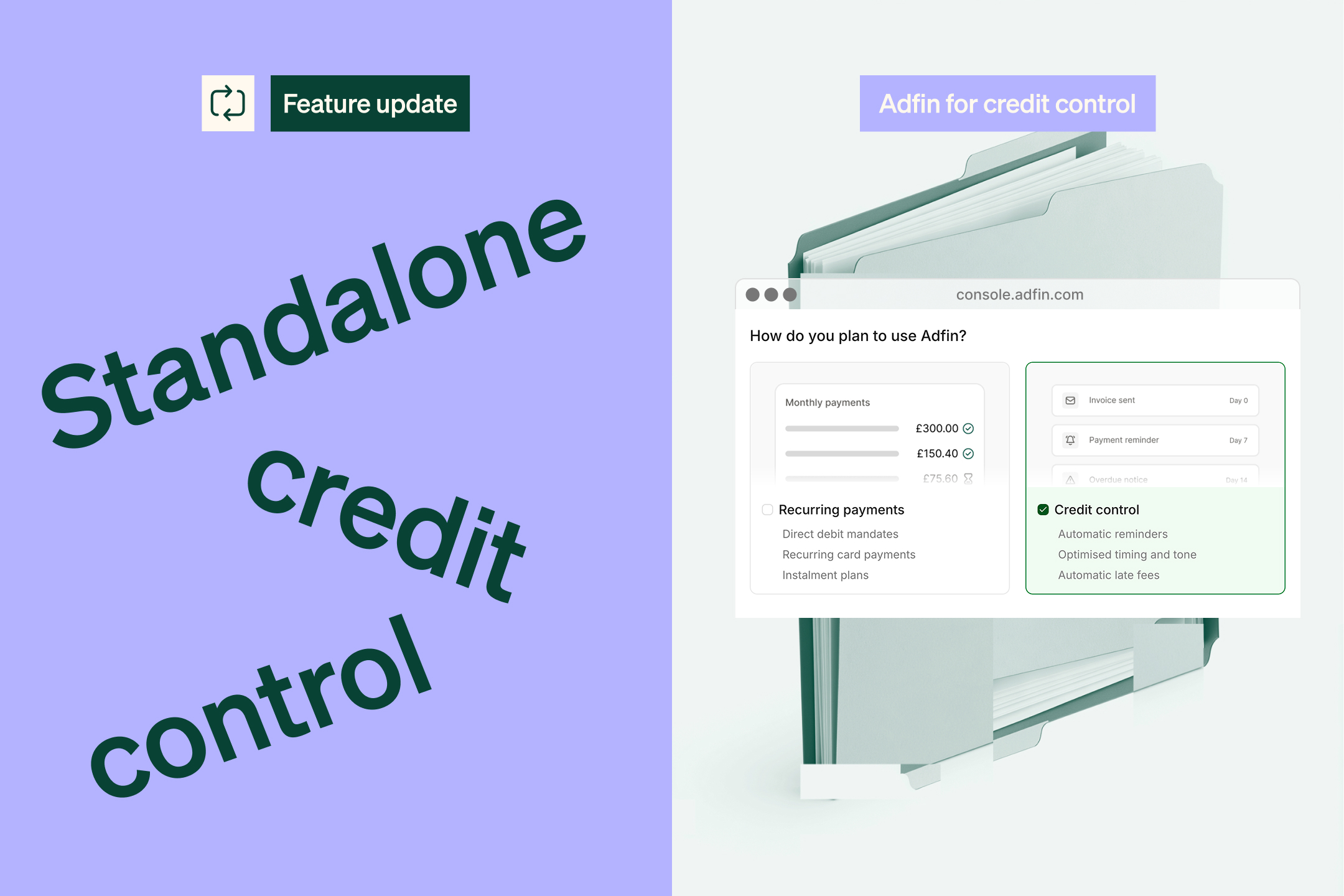
You can now use Adfin’s payment reminders without accepting payments through Adfin.
If you only want to use credit control, you can skip payment verification and get started even faster. You can always enable payments later.
September 10, 2026
Card on file
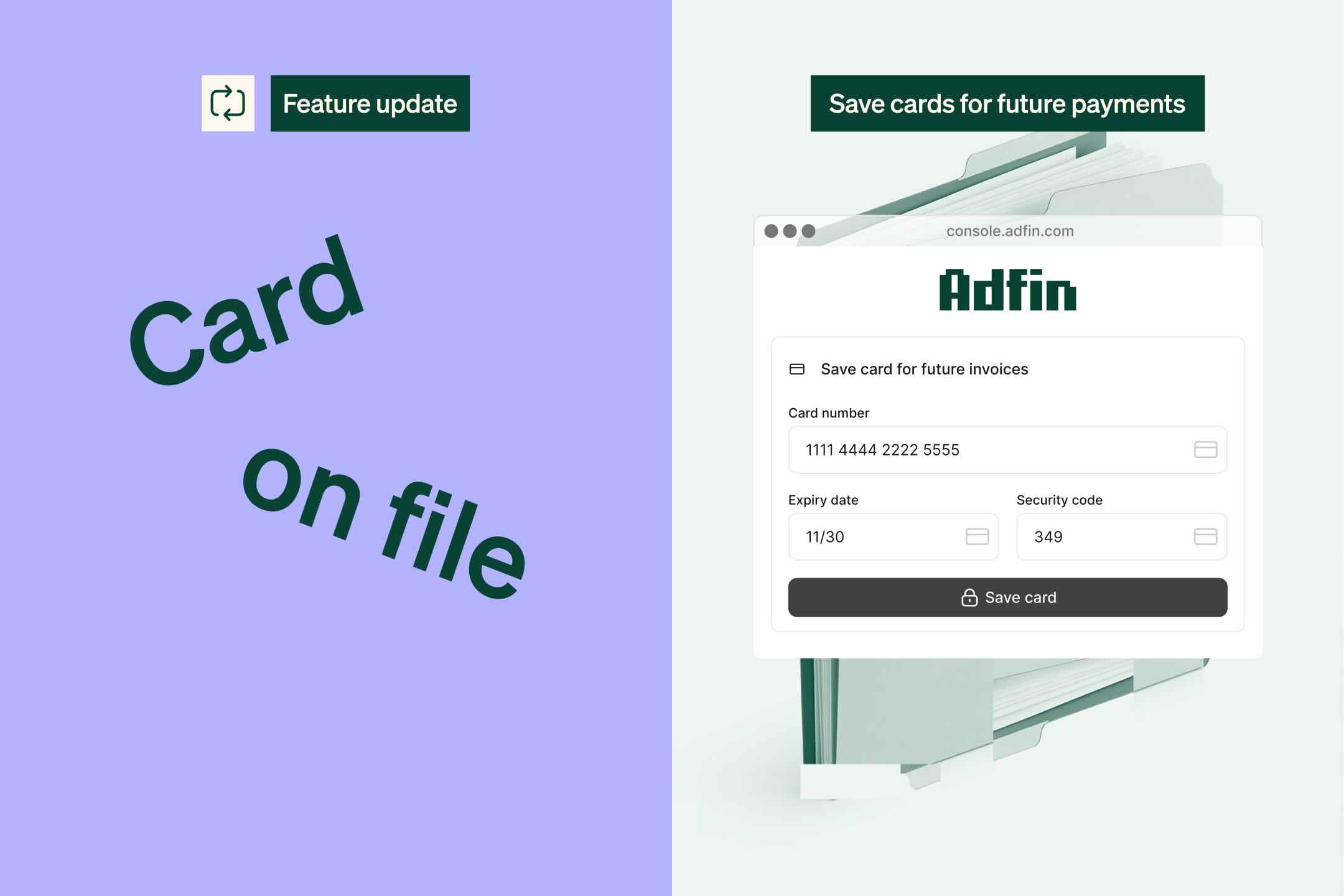
Card on file is now live in Adfin. Save a customer's card once, then charge it automatically, without asking them to pay or to enter their details again.
You turn card on file on when you're setting up your customer agents.
September 4, 2026
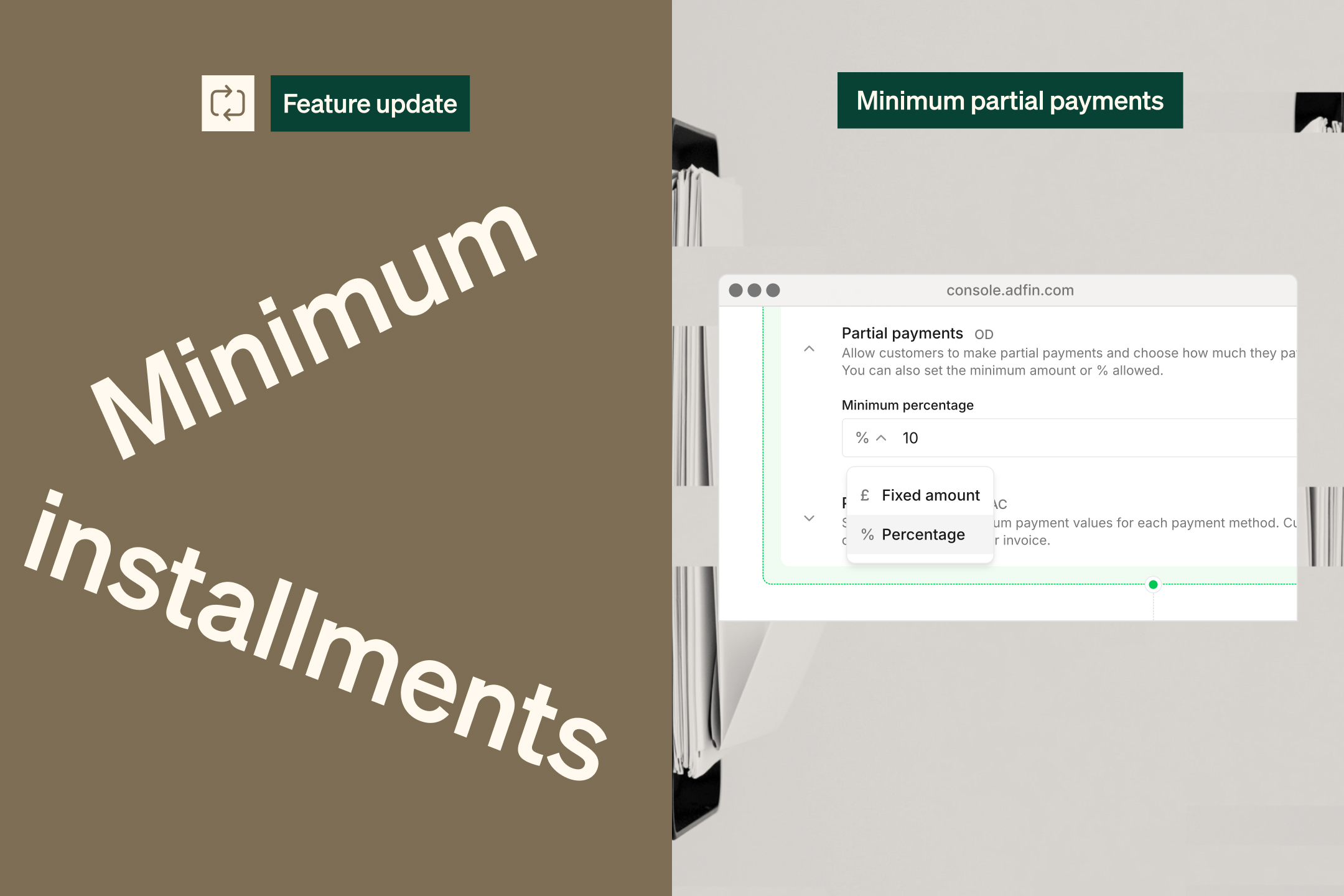
Set minimum partial payments as a percentage
You can now set the minimum partial payment a customer can make as a percentage of the outstanding amount, as well as a fixed amount.
Enable partial payments and set your minimum in your collection agent settings.
August 14, 2026
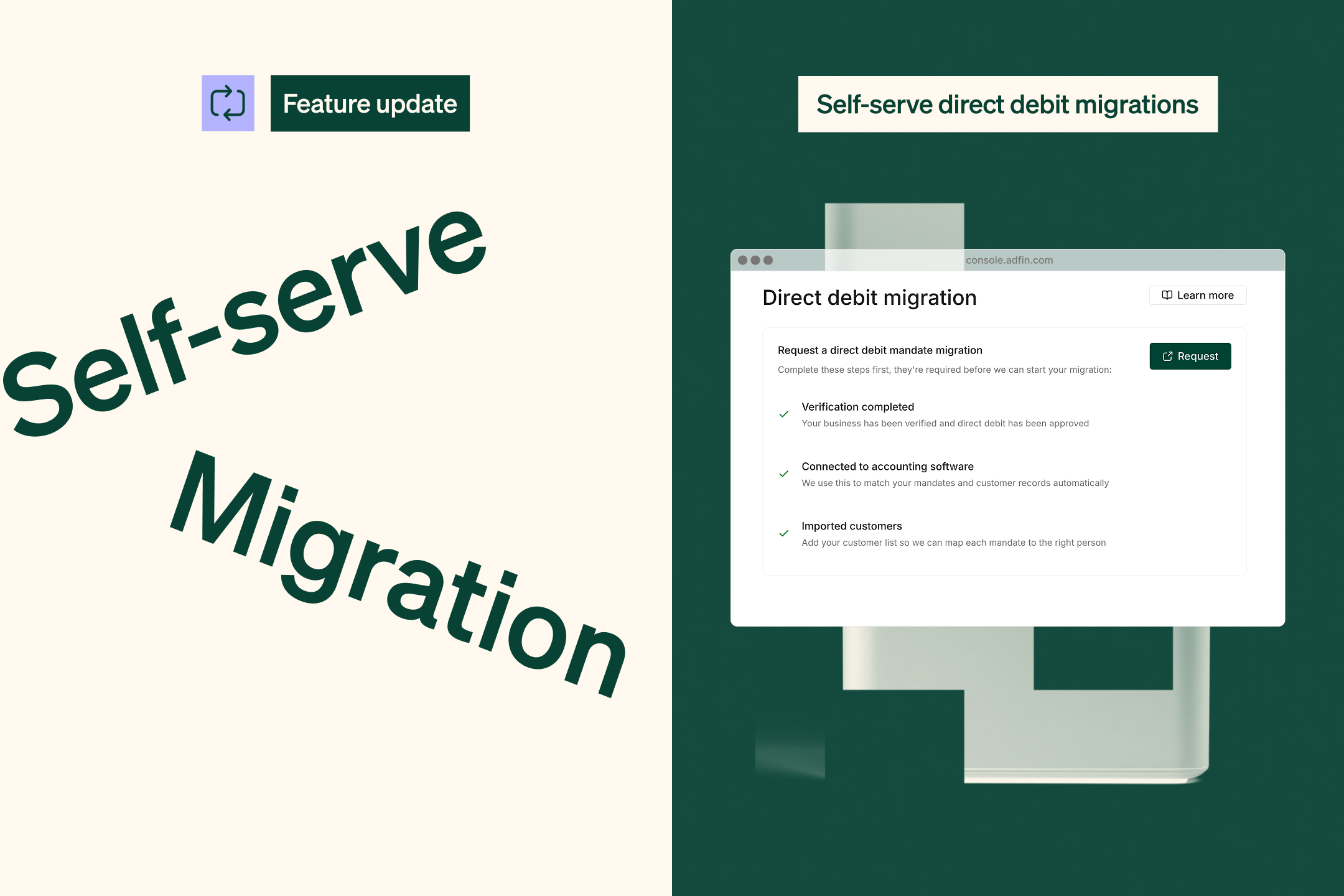
Self-service direct debit mandate migration
It’s now easier to migrate your direct debit mandates to Adfin. Request a migration directly from the console and track its progress from start to finish.
We’ve also improved how incoming mandates are reviewed and matched to customers in your accounting software, making the migration process faster and smoother.
July 6, 2026
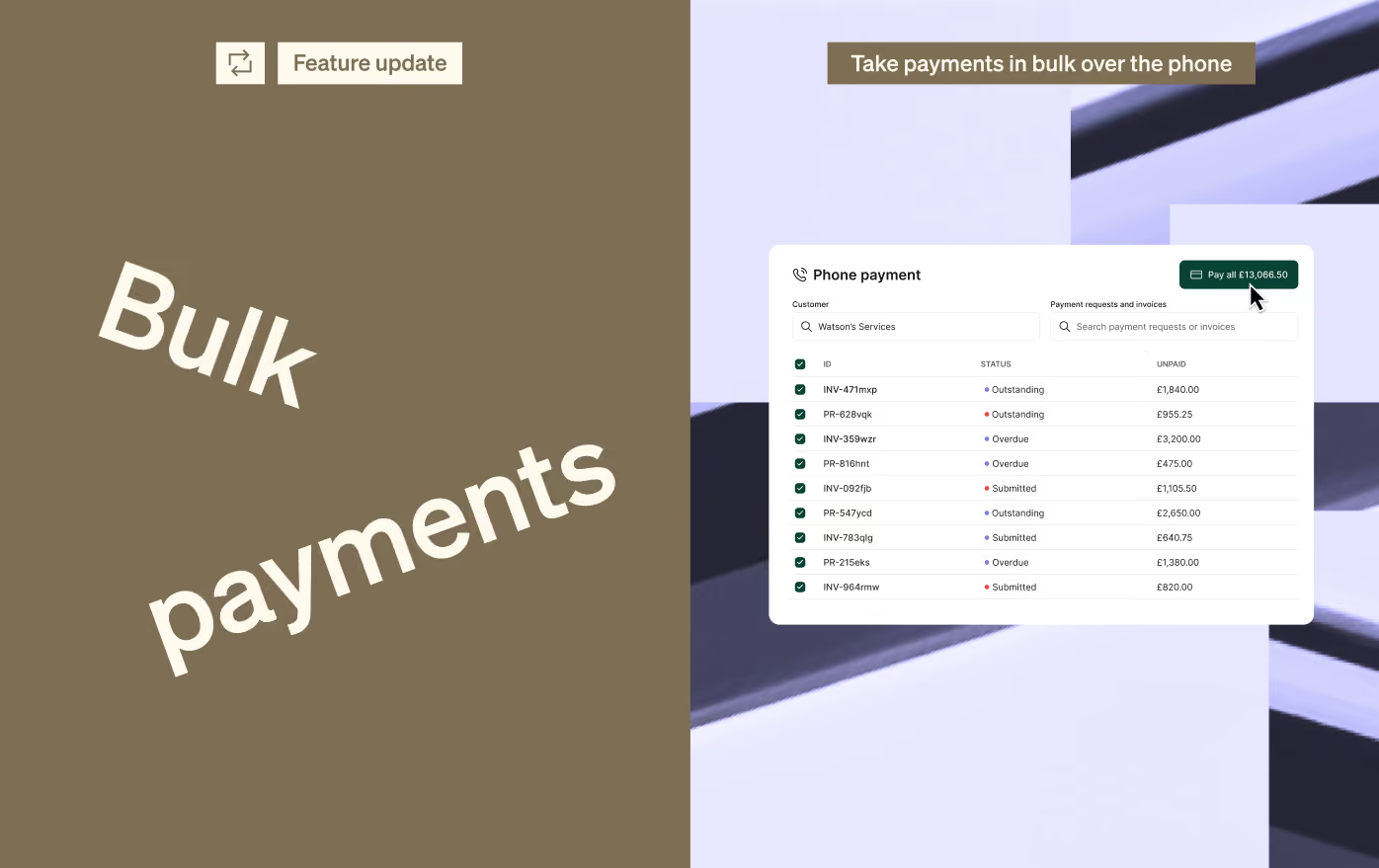
Take phone payments for multiple invoices
You can now take a single card payment over the phone for multiple outstanding invoices and payment requests.
When you select a customer, you’ll be able to choose which items they want to pay, then complete the payment using the card details they provide.
July 6, 2026
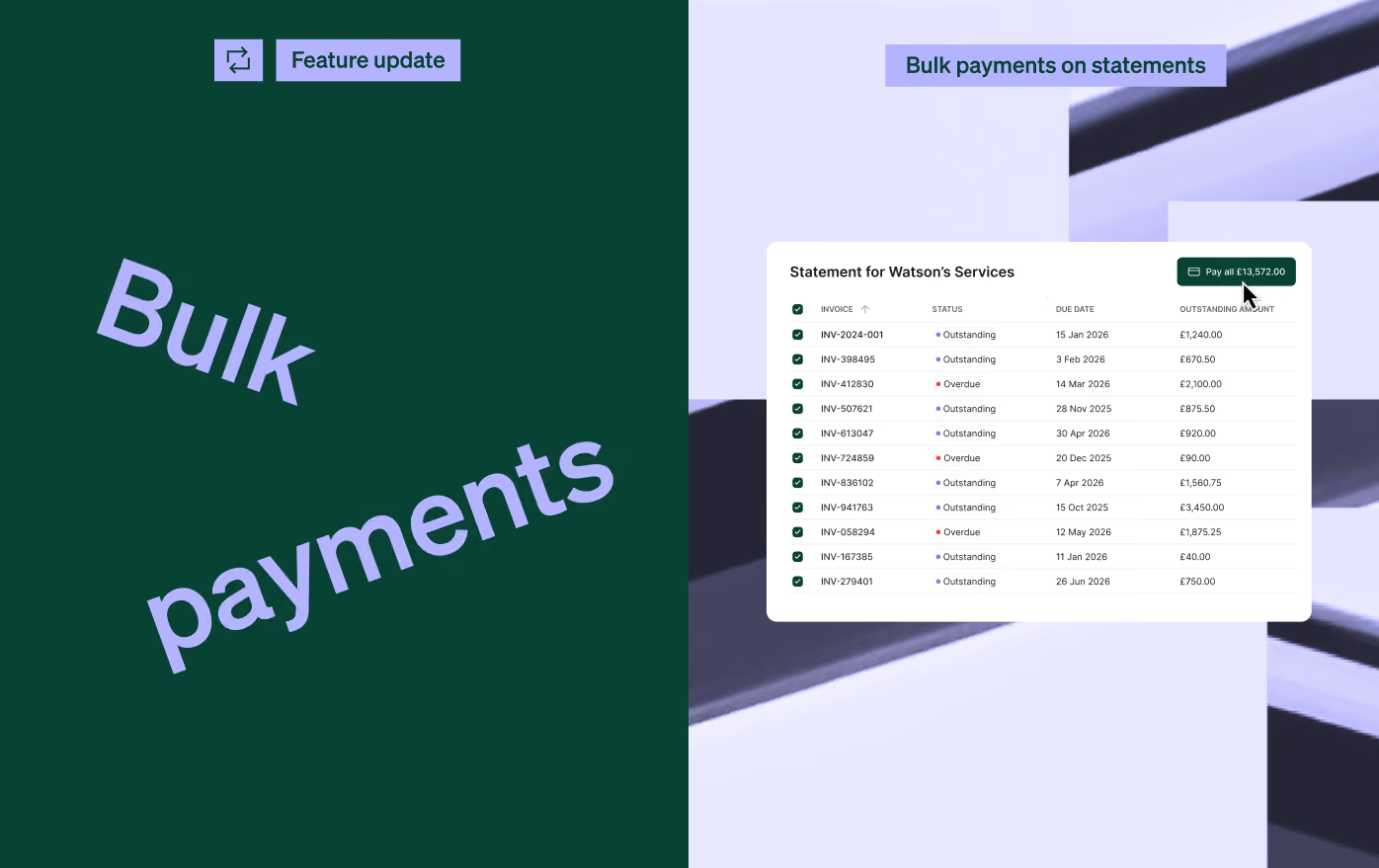
Bulk payments from customer statements
Your customers can now pay multiple outstanding invoices and payment requests directly from their customer statement.
When they receive a statement, they can choose which items they’d like to pay and make one payment for the selected total.
June 15, 2026
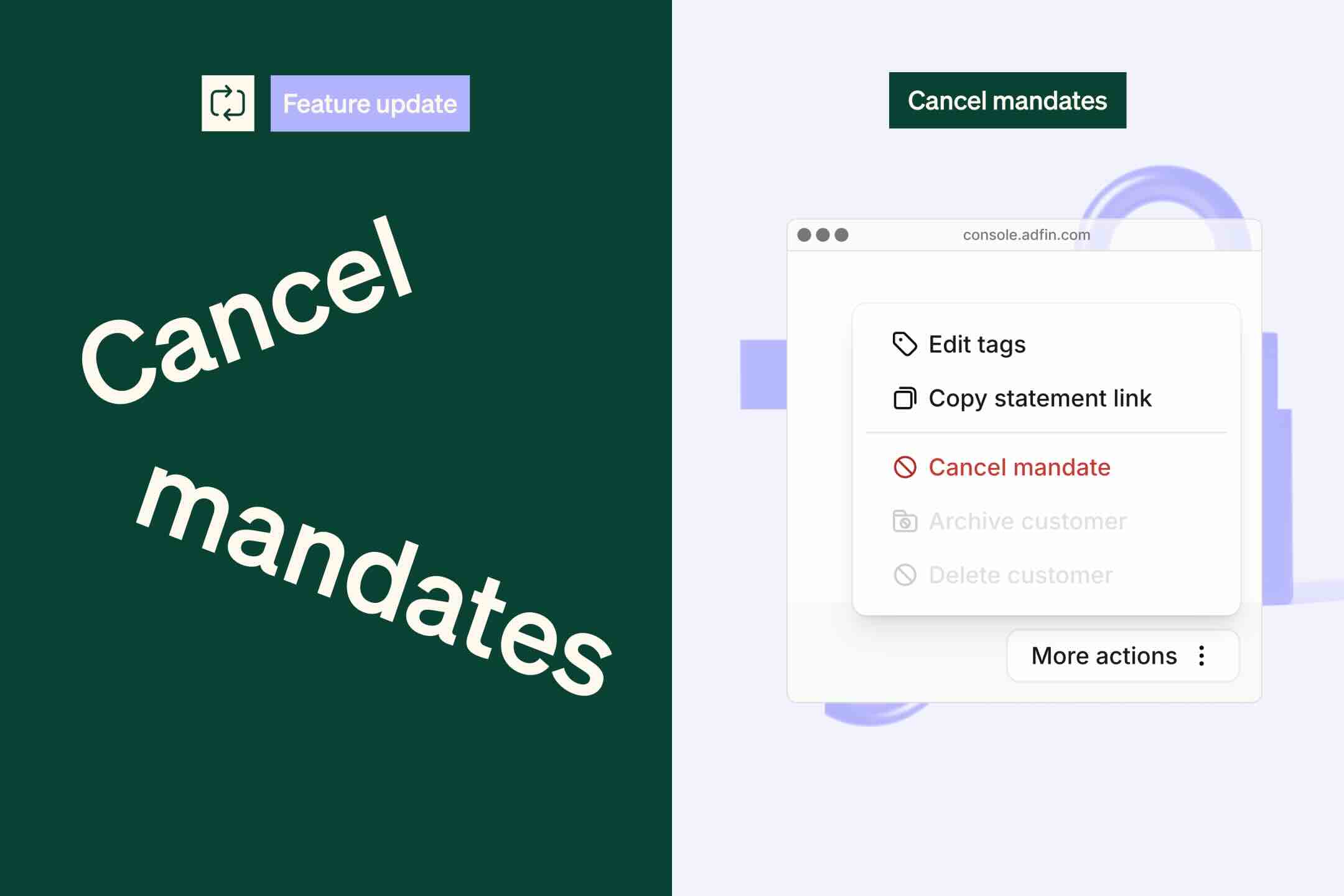
Cancel a direct debit mandate while payments are being collected
Sometimes a customer may ask you to cancel their direct debit mandate while a payment is already being collected.
If the collection has already started, it cannot be cancelled. You can now queue the mandate to be cancelled automatically once the payment collection is complete.
If the payment fails, we won’t retry the collection. We’ll simply cancel the mandate.
👉 To do this, select the customer, open More options in the side tray, and click Cancel mandate.
June 3, 2026
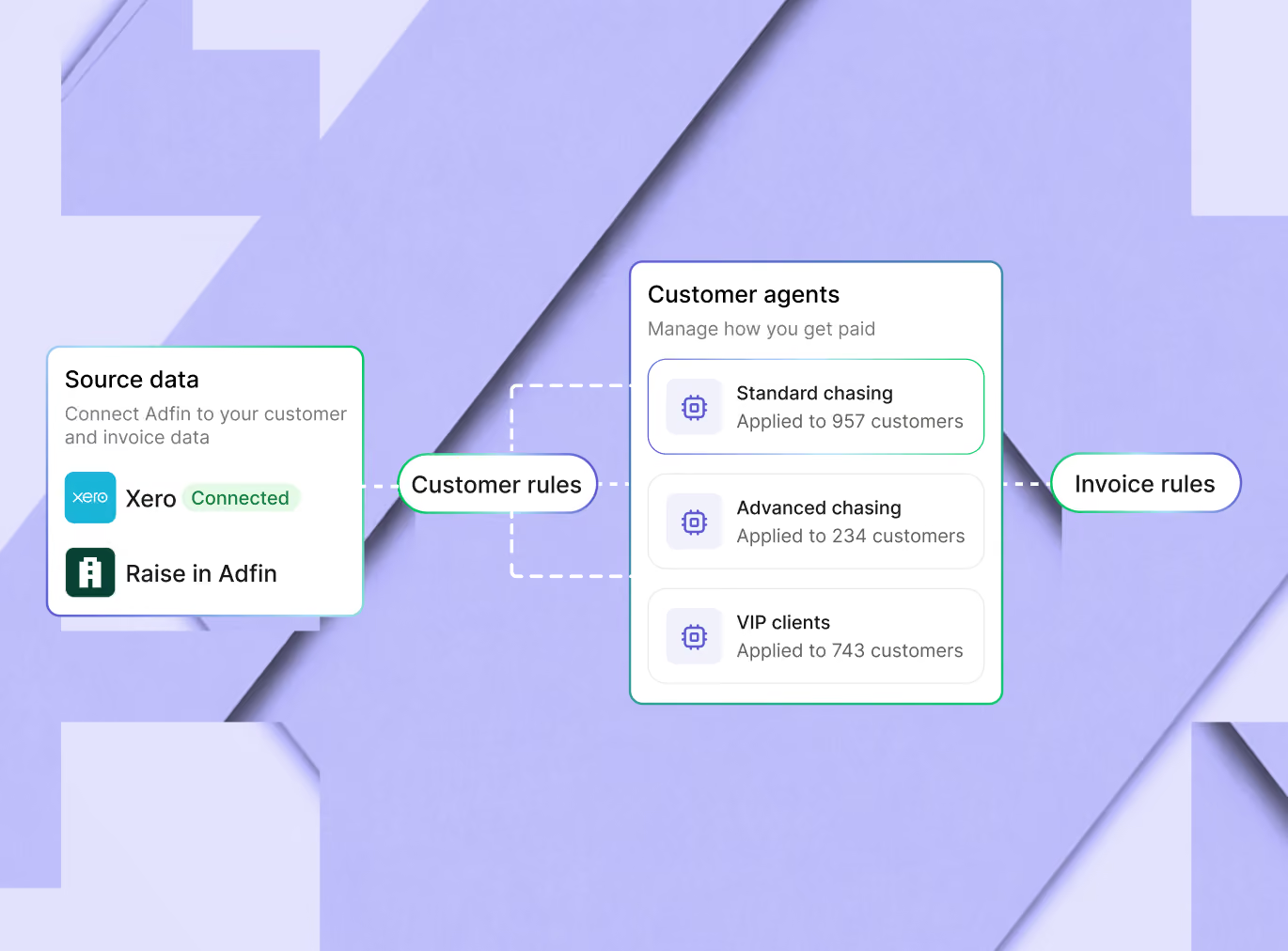
Introducing customer agents
Customer agents let you manage how payments are collected for different groups of customers.
Each agent brings together the rules for when to send reminders, how to communicate with customers, which payment options to offer, and what actions to take to help you get paid.
If your an existing Adfin user, customer agents replace and upgrade existing workflows. Your current setup has been migrated automatically, so there is no change to how you collect or manage payment collections.
As part of this launch, we’re also introducing support for late fees, giving teams more flexibility to apply charges to overdue invoices where needed.
You’ll see customer agents in your Adfin account as part of our staged rollout.
👉 You can view your customer agents here
June 3, 2026
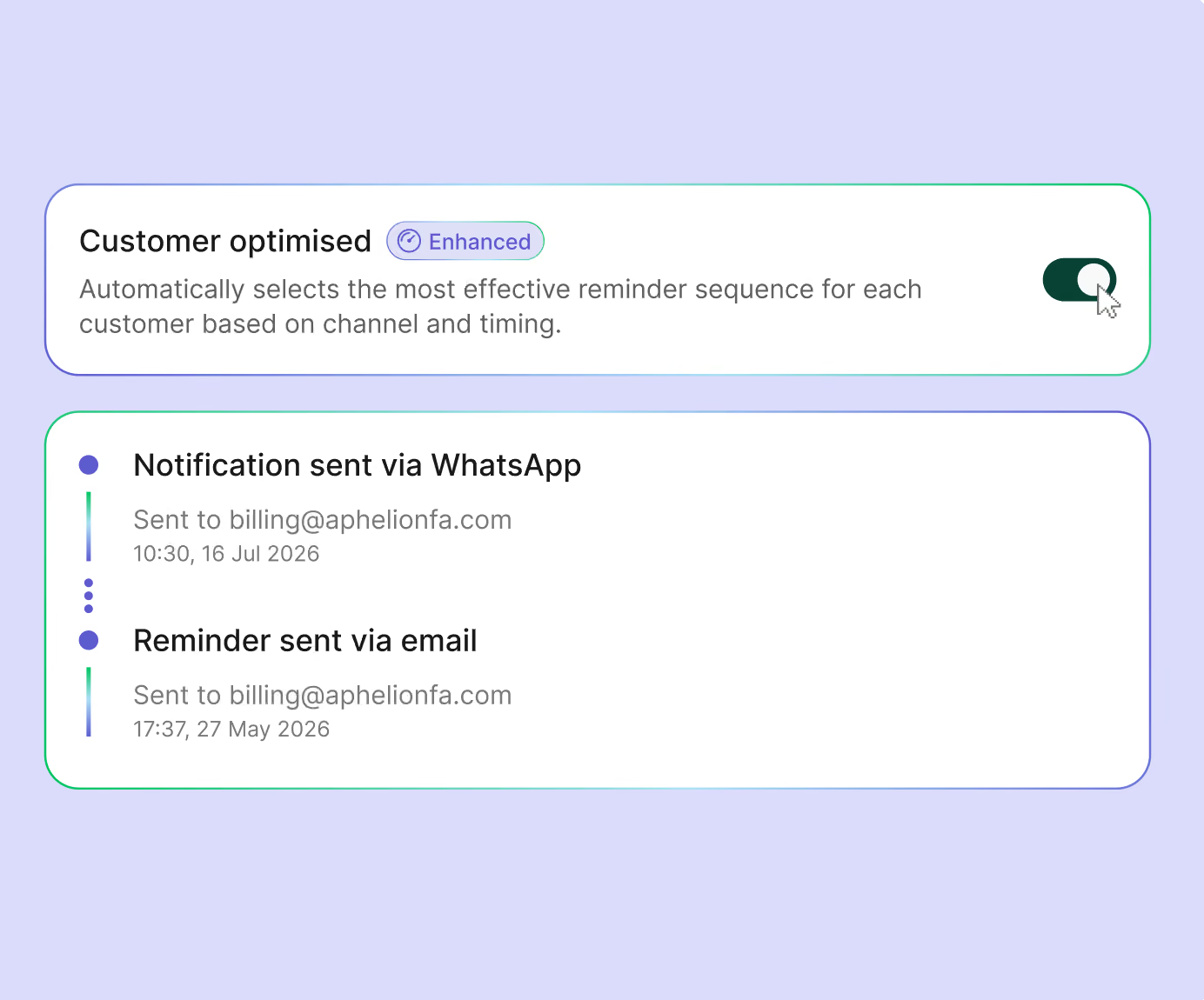
Optimised reminders for each customer
Most reminder sequences treat every customer the same: the same timing, the same channel, and the same follow-up.
Customer agents with optimised reminders change that. You set the approach for each customer group, including the channels, persistence, and actions the agent can take. The agent then works out the best way to encourage each customer to pay.
New customers start on a standard reminder sequence. Over time, the sequence adapts based on payment data, using the timing, channel, and cadence most likely to get invoices paid.
This means:
- Faster payments with less manual work
- More personalised payment reminders for your clients
- Smarter chasing that improves as more payment data comes in
👉 Turn on client optimised chasing for an agent here
June 3, 2026
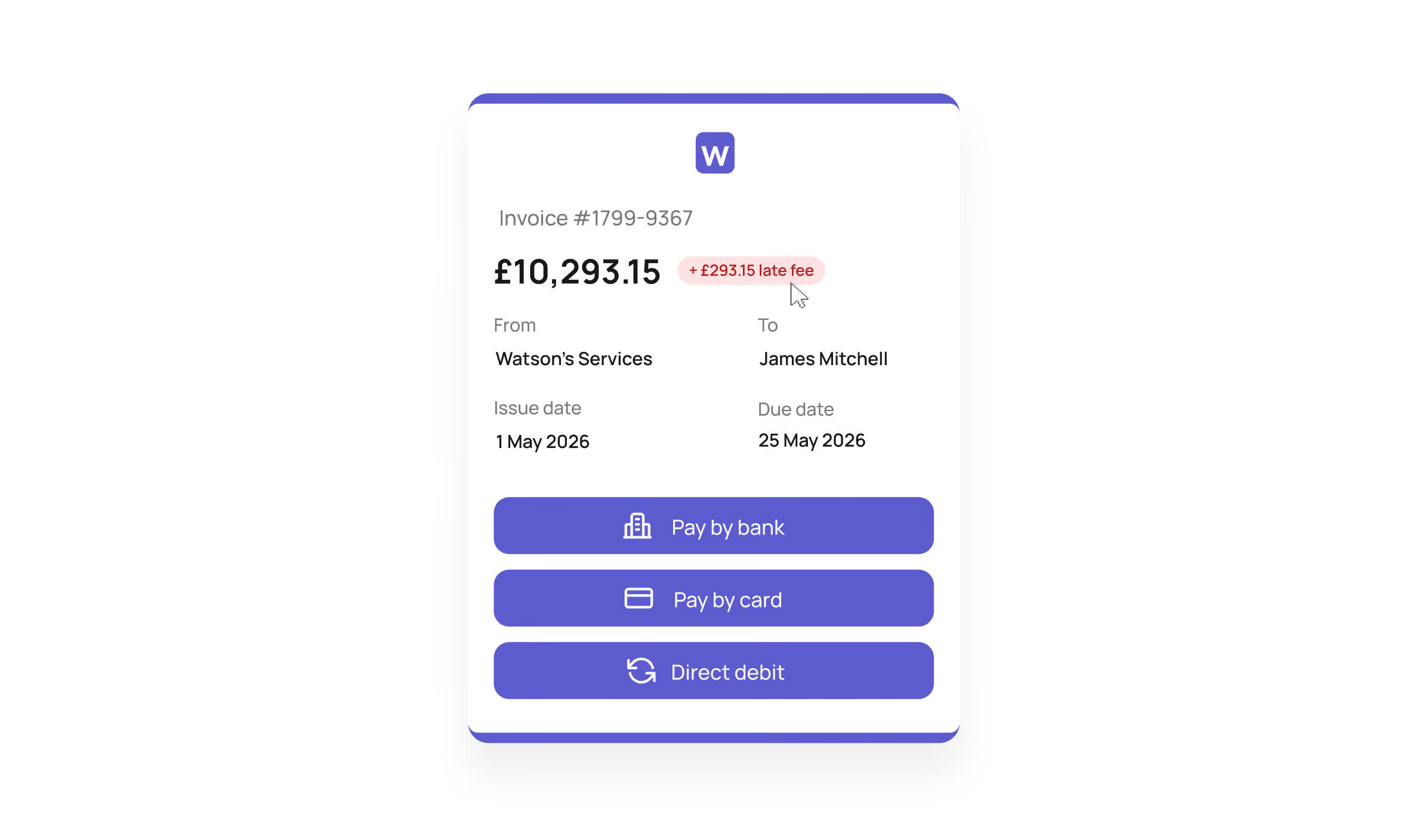
Automatically apply late payment fees
Businesses have had the legal right to charge statutory interest and fixed compensation on overdue invoices since 1998. But for many teams, the calculation and admin have made it hard to justify the effort.
You can now apply late payment fees automatically with Adfin.
When enabled for a customer agent, Adfin can apply statutory interest and fixed compensation once an invoice passes your chosen grace period. The payment link updates as interest accrues, and a separate invoice is created in your accounting software.
You stay in control:
- Enable late payment fees for specific customer agents
- Set a grace period before fees are applied
- Waive fees where needed
With late payment reform gaining momentum in the UK, this gives your team an easier way to apply fees consistently and reduce the admin involved in overdue collections.
Good to know: fixed compensation is routed to Adfin. Statutory interest accrues to you.
👉 Turn on late payment fees for an agent here
May 11, 2026
Take card payments over the phone
You can now take card payments over the phone and link them to the right invoice automatically. If the invoice isn’t in Adfin yet, create a payment request and sync it to your accounting software.
Phone payments support surcharging and partial payments. Find it under Upgrade features in Settings. We review your account before turning it on, so contact support if you don’t see it.
April 7, 2026
Preview adaptive templates before sending
You can now preview exactly how an adaptive template will look for a specific customer while you create or edit it.
Open Adaptive templates in Settings, select a template and click Preview.
March 24, 2026
Clearer bank transfer details for faster payments
Customers paying by bank transfer now see your business name as the account holder, so it’s clear who they’re paying.
We match each payment to the right invoice automatically, so there’s nothing to reconcile.
March 18, 2026
Your control centre to track performance and get paid faster
The new Overview dashboard shows how Adfin is getting you paid, how your late payments compare with similar businesses, and how customers perform by payment method.
Its inbox brings your tasks, recommendations and notifications into one place, and you can assign tasks to team members. Find Overview in the side menu.
March 17, 2026
Invoicing just got a major upgrade
You can now add Adfin bank transfer details to your invoice PDFs, and we’ll match bank transfer payments to the right invoice automatically.
You can also apply Xero tracking categories to individual line items and update recurring invoice prices in one go.
March 17, 2026
A better way to manage your recurring invoices and payments
The new Schedules dashboard gives you one place to view, manage and edit your recurring invoices and payments, with the next charge date and end date for each.
Filter, sort and save views as you would on any Adfin dashboard. Find Schedules in the side menu.
March 10, 2026
Track revenue with tracking categories
You can now add tracking categories to invoice line items to track revenue by office, department or team, and set a default option for each customer.
Filter by tracking category in the Payments and Credit control dashboards. If you use Xero, you can sync your existing tracking categories. Find it in your invoice settings.
March 10, 2026
Track customers and revenue by office
You can now set up offices in Adfin to group customers and users, and track revenue and credit control across your business. Each office can have its own email and business address on invoice PDFs.
Link a tracking category option to an office and it’s preselected on new invoices and synced to Xero. Find offices in your account settings.
March 5, 2026
Disable payment confirmation emails for direct debit payments
You can now turn off the payment confirmation emails your customers receive for direct debit payments.
Manage this in your Auto Collect workflow settings.
March 5, 2026
Automatically increase prices on your recurring invoices
You can now update a product’s price once and apply it to new recurring invoices only, or to all existing ones.
Update prices in the Product Catalogue in Settings.
March 3, 2026
Stop payment reminder emails being sent to your primary contact
You can now stop payment reminders going to a customer’s primary contact, so they only reach the right people, like their finance team.
Manage this in the customer side tray, under contact person details.
March 3, 2026
Select whether or not to automatically move payments over to Auto Collect when a mandate is signed
You can now choose whether existing On Demand payments move to Auto Collect automatically when a customer signs a direct debit mandate, or whether only new invoices are collected by direct debit.
Find this setting in your Auto Collect workflows.
March 3, 2026
Reinstate cancelled direct debit mandates with one click
If a customer’s direct debit mandate is cancelled by mistake, you can now reinstate it in one click, without your customer re-entering their bank details.
We’ll email you and add a task to your dashboard, and any unpaid payments are scheduled for collection once the mandate is reinstated.
February 24, 2026
Send personalised, sequenced reminders from your own email address with Autopilot
Adaptive templates now work in statement workflows, and Adfin automatically categorises the templates you create so it’s easy to pick the right one.
You can also add your signature to make messages more personal. Choose where adaptive templates are used in your workflow settings.
February 16, 2026
Take a payment from anyone with the reusable payment link
You can now take payments from anyone with a reusable payment link. Set a fixed amount or let the customer choose, with an optional maximum.
Find it under Payments in the sidebar.
February 10, 2026
Surcharging for business cards
You can now add a surcharge to business card payments, so your customer covers the cost of card acceptance and you receive the full invoice amount. Under UK law only business cards can be surcharged, and we detect them automatically.
Turn on surcharging for your account or for individual customers in your payment settings. Apple Pay and Google Pay are turned off while surcharging is on.
February 3, 2026
Add Adfin payment links to your Xero invoices
Adfin is now available as a payment method in Xero, so Adfin payment links are added to your Xero invoices automatically.
Reconnect Adfin to Xero from your dashboard to turn this on.
January 28, 2026
Customer merge suggestions
Adfin now flags potential duplicate customers and prompts you to review them. We’ve also made merging quicker and clearer.
Select Review duplicates in the side menu when the prompt appears.
January 28, 2026
Archive customers and stop invoices being imported
You can now archive customers with payment history. Archived customers keep all their records, stop new invoices being imported and can be reactivated at any time. Customers without any paid invoices can be deleted.
Open a customer and choose to delete or archive them from the side tray.
January 26, 2026
Add your signature to Autopilot emails
You can now add your own email signature, including links and images, to Autopilot emails.
Edit your signature under Connected emails in your Autopilot settings.
January 19, 2026
Use statements to nudge customers to settle unpaid invoices
You can now send customer statements from Adfin, so customers can see what they owe and pay outstanding invoices in one place.
Choose when statements are sent, and add rules so they only go out above a certain balance or number of days overdue. Set this up in your workflow settings.
January 14, 2026
Sync prepayments to Xero and save time allocating payments
You can now sync payments without an invoice to Xero as prepayments, choose the account they’re coded to and set the VAT.
Manage this in your Xero configuration in Settings.
January 14, 2026
Set default payment workflows per customer
You can now set how each customer pays by default, with Auto Collect or On Demand, and whether they’re collected invoice by invoice or through statements. You can also turn off Auto Collect for customers who haven’t agreed to direct debit.
Set rules for your whole account, update customers in bulk, or adjust a single customer’s workflows in your workflow settings.
January 6, 2026
User roles to control who can do what in Adfin
You can now give each team member an Admin, Member or Viewer role. Admins have full access, Members can manage customers, payments and invoices but not settings, and Viewers have view-only access.
You can also deactivate or remove users at any time from the Team section of your company settings.
January 6, 2026
Use the payment portal as a link for any customer to pay an invoice
You can now share a single payment portal link that lets any customer find and pay their invoice using their name and invoice number.
Payments are applied to the right invoice automatically. You’ll find the link in your invoice and payment request views.
January 6, 2026
Reusable direct debit mandate link for customer signups
You can now share one reusable link that lets any customer set up a direct debit mandate with you. Add it to proposal templates, your website or your email signature.
We’ll email you each time it’s used, and match the mandate to an existing customer or create a new one. Find it under Links in the sidebar.
January 6, 2026
Add multi-factor authentication to keep your account secure
You can now turn on multi-factor authentication for your Adfin account. Once it’s on, every user will be asked to set up an authentication method the next time they sign in.
December 23, 2025
Use DSO and days overdue to spot your good and bad payers
You can now add Days Sales Outstanding (DSO) and days overdue columns to your dashboards, for individual payment requests or for each customer.
At customer level, DSO is averaged across all their payments and days overdue shows their most overdue unpaid invoice. Add the columns using the cog icon and save the view as your default.
December 9, 2025
Send personalised mandate requests with Autopilot
You can now use Autopilot with Auto Collect to send mandate requests from your own email address, using your adaptive templates.
Turn this on in your Auto Collect workflow settings.
December 9, 2025
Allow customers to make partial payments
You can now let customers make partial payments when paying On Demand, and set a minimum amount to stay in control.
Find this option in your payment settings.
December 2, 2025
Manage credit control in Adfin
Our new credit control dashboards let you group by status or action required, sort and filter by any field, choose your columns and save your favourite views.
November 14, 2025
Adfin Autopilot integrated into workflows
Autopilot is now available to all Adfin users. Connect your own email address and create adaptive reminder templates, and Autopilot tailors each message to the customer, adds the right payment or mandate link and sends it from your email.
Send reminders from a customer’s activity tab or add them to your On Demand workflows. Head to Get Started in your Adfin account to turn on Autopilot.
November 11, 2025
Updated settings layout
All your account settings are now in one place, with a clearer layout and a search bar to find what you need. Open Settings in the sidebar.
November 11, 2025
Simplified direct debit mandate statuses
We’ve removed the Signed status, so direct debit mandates now move straight from Awaiting signature to Active.
When a mandate becomes Active, we automatically schedule that customer’s payments for collection by direct debit.
November 11, 2025
Select how you sync payments to Xero
You can now choose how payments without an invoice sync to Xero, as Receive Money transactions or as overpayments, and choose the account they’re coded to, including a liability account.
Manage this in your Xero configuration in Settings.
November 6, 2025
God Mode for seamless account switching and credit control as a service
God Mode gives you a single login across all your Adfin accounts. Switch between accounts or create new ones from the account dropdown at the top of the sidebar.
You can set up an account for a client in seconds, then invite them to book an onboarding call, making it easier to run credit control as a service.
October 14, 2025
Create recurring invoices in Adfin
You can now set up recurring invoices in Adfin that send automatically on the schedule you choose, ideal for subscriptions and retainers.
Recurring invoices can also sync to Xero or QuickBooks.
October 8, 2025
Adfin Autopilot for smarter credit control
Autopilot uses AI to take your existing chasing templates, adapt them to each situation and send them automatically.
You can also connect your own email domain, so reminders come from your email address.
October 7, 2025
Sync invoices to QuickBooks
Invoices you create in Adfin, through the invoice tool or invoice capture, now sync to QuickBooks automatically when you send them.
We’ll mark them as paid in QuickBooks when the payment comes through.
October 7, 2025
Manage credit control with custom statuses
You can now add custom statuses to any at-risk activity and filter by them to manage your credit control process.
Adfin moves invoices and payments to confirmed automatically once they’re paid.
October 7, 2025
Easy to create and manage instalment plans
You can now offer instalment plans to customers who are struggling to pay. Choose the number of instalments, edit individual amounts or take a larger deposit upfront, and Adfin sends the reminders and reconciles each payment.
Instalment plans work with On Demand and Auto Collect, for new invoices and ones you’ve already sent.
October 7, 2025
Accept bank transfer with automated credit control and reconciliation
You can now accept bank transfers through Adfin. We show your client bank details on the payment page, detect the payment when it arrives and update your records, so chasing stops as soon as you’re paid.
September 30, 2025
Upgraded activities to stay on top of what needs your attention
New activities now flag when something needs your attention, like an invoice or payment request that isn’t being chased or a message that failed to deliver.
You’ll find them in the activities column of the Accept payments table.
September 30, 2025
Auto Collect + as a backup for tricky payers
Auto Collect + gives customers who haven’t signed their direct debit mandate the option to pay On Demand instead. Choose how long after sending the invoice to offer this, or offer it straight away.
We’ll notify your customer and add the extra payment methods to their payment page. Turn it on in your workflow settings.
September 30, 2025
Adfin On Demand + to take deposits on card before requesting a direct debit mandate
On Demand + lets you take an upfront card payment, then invite your customer to sign a direct debit mandate for future payments.
Turn it on in your workflow settings and choose which customers it’s offered to.
September 23, 2025
Import and sync customers your way
You can now choose to import all your customers from Xero or QuickBooks, or only specific contact groups if you use Xero. You can also choose whether new customers sync automatically.
Customers linked to an Adfin invoice are always imported, so your invoicing isn’t affected.
September 23, 2025
An upgraded look for your direct debit mandate page
We’ve refreshed the direct debit mandate page to put your brand front and centre and make it easier for your clients to complete.
September 15, 2025
Customise your layouts and save views
You can now add, remove and reorder columns in your tables, and filter your data more flexibly.
Save sets of filters as views so your team can get back to them quickly.
September 9, 2025
Unmark invoices as paid
You can now unmark invoices and payment requests as paid. Open the invoice or payment request and click Unmark as paid in the side tray.
September 9, 2025
Show your business name on customer bank statements for direct debit payments
You can now show your business name on your clients’ bank statements when they set up a direct debit mandate and make payments, so payments are easier to recognise and reconcile.
Look out for the banner in your Adfin console to turn this on.
August 26, 2025
Syncing overpayments, prepayments, and customer credit changes
Adfin now syncs overpayments, prepayments and credits from Xero and QuickBooks, and adjusts the amount due straight away so your customer always pays the right amount.
Collection amounts also update when you delete a credit note or change the amount applied to an invoice.
August 26, 2025
Move your direct debit mandates to Adfin
You can now move your existing direct debit mandates from another provider to Adfin. Your clients don’t need to sign new mandates and your collections won’t be interrupted.
We manage the process and paperwork, and move any recurring invoices over on the change date. Contact us to get started.
August 26, 2025
A fresh new look for Adfin
The Adfin console has a new look. It’s built on our new design system, so it’s cleaner and more consistent across every page.
August 4, 2025
Automatic invoice migration for Xero and QuickBooks
When a customer signs a direct debit mandate with Adfin, we’ll now automatically update their invoices in Xero or QuickBooks to use Adfin for payment, including repeating invoices.
Turn on invoice migration in your settings. We’ll email you and tag the customer each time one is migrated.
August 1, 2025
Recurring payment requests
You can now collect recurring payments from your customers weekly, monthly or yearly, or split an amount into a set number of instalments.
Create a payment link and turn on Recurring to set the frequency, start date and optional end date. Recurring payments work with both On Demand and Auto Collect.
July 8, 2025
View and edit invoices before sending using review sessions
After you upload invoices, you’ll now see a review screen where you can check and edit the details before sending.
Update customer information and change amounts, due dates and invoice numbers, all in one place.
July 8, 2025
Upload a CSV file in any format and create up to 200 invoices at a time
You can now upload invoices as CSV or Excel files in any format, as well as PDFs and images. When you upload a CSV, Adfin creates the invoice PDFs for you.
Upload up to 200 invoices at a time, using one file type per batch, and review the extracted details before sending.
July 8, 2025
Download data from any Adfin dashboard into CSV
You can now download data from the accept payments, manage customers and view transactions dashboards as a CSV.
Select the rows you want, or select nothing to export everything, then click Download CSV in the top right corner.
July 8, 2025
Direct debit payments settle two days faster
Direct debit payments are now paid out to you two working days sooner, for all payments submitted from 8 July 2025.
Payments are debited from your customer two working days after we submit them, and paid out to you two working days after that.